
Features

Track Donors & Donations
With ReadySetAuction, you can keep track of every type of donation you receive, including:
- items and services that you plan to auction off
- in-kind gifts
- consignment items
- sponsorships
- and monetary donations
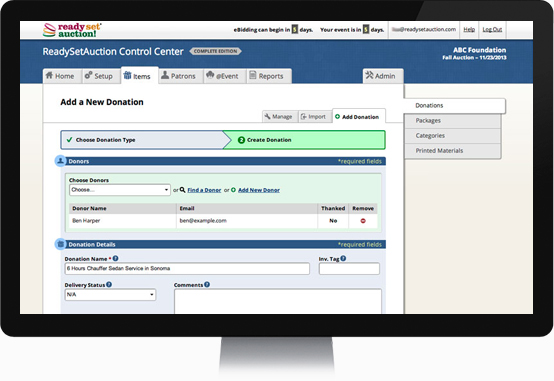
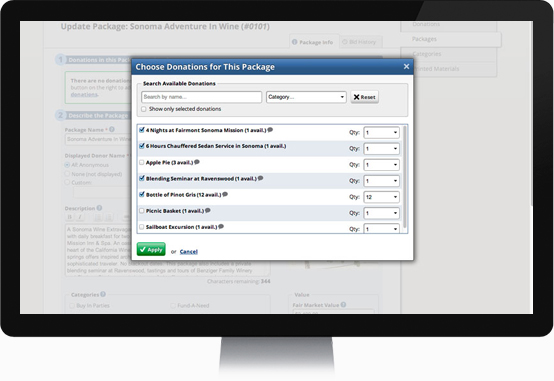
Combine Donations Into Baskets
Our easy-to-use packaging tool makes combining donations into baskets quick and easy. And because ReadySetAuction accurately tracks the remaining quantity of every multiple-quantity donation, you and your team will never be confused about how many of each donation is left to package.
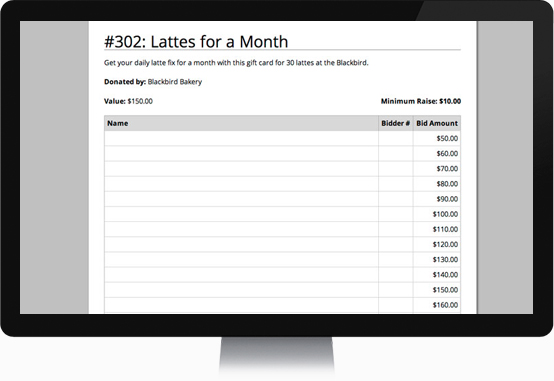
Print Catalog, Bid Sheets, Display Sheets & More
ReadySetAuction uses the information you enter about your items to generate bid sheets, display sheets, and a catalog for your auction — all ready-to-print right from your web browser. Need more control over design? We’ve got you covered. Use the “Paper Catalog Export” report in combination with our built-in mail merge template or your own custom template to create personalized materials using Microsoft Word.
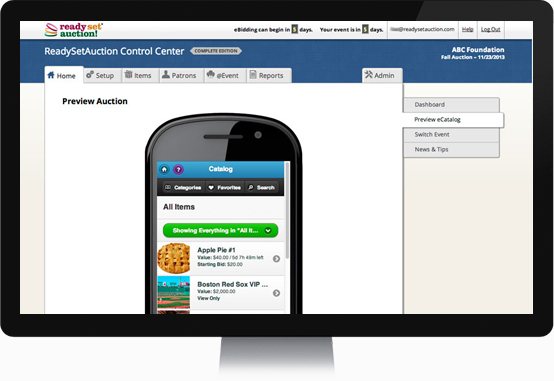
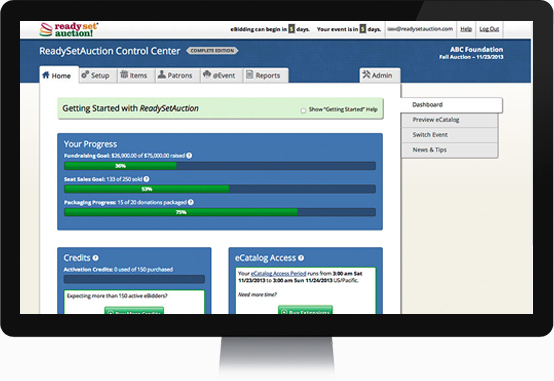
Preview Your Mobile Bidding Site As You Build It
Wondering how your eCatalog will appear to bidders on their phones? Just take a look at your Control Center’s “Preview” tab at any time while preparing for your auction.
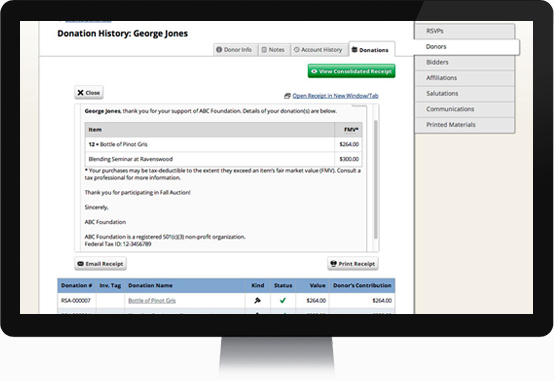
Email & Print Donor Receipts
Go green, save time and save money on postage by emailing consolidated receipts to your donors. Or if you prefer the more traditional snail mail approach, you can also print them.
Risk-Free Auction Items
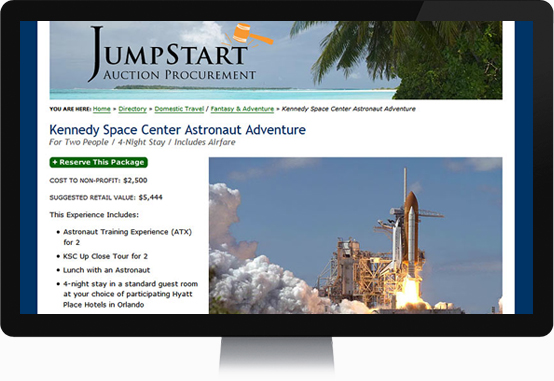
Looking for a few stand-out items to auction off at your event? Take a look at our Winspire Directory of Consignment Vacation and Adventure Packages. With Winspire packages, your organization pays for the package only after the auction is completed and after you’ve collected the money from the winning bidder. If the package doesn’t sell, you don’t pay — it’s as safe and simple as that.
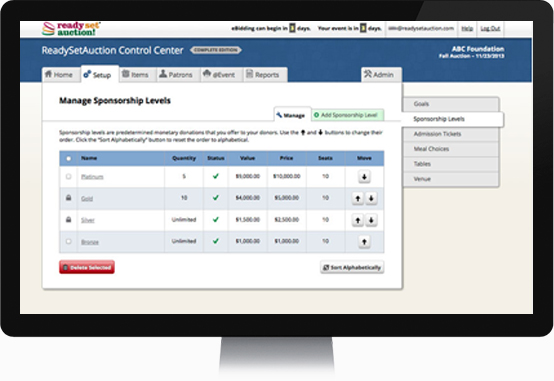
Track Seats Associated with Sponsorships & Tables
Looking for a few stand-out items to auction off at your event? Take a look at our Winspire Directory of Consignment Vacation and Adventure Packages. With Winspire packages, your organization pays for the package only after the auction is completed and after you’ve collected the money from the winning bidder. If the package doesn’t sell, you don’t pay — it’s as safe and simple as that.
Sell Tickets Online
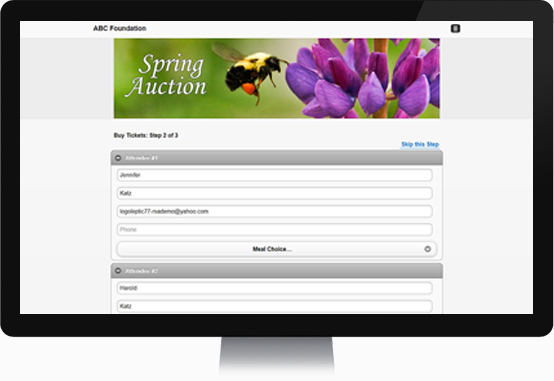
After setting up their account, your constituents can buy admission tickets to your event for themselves and their guests from their smartphones, tablets, computers, and virtually any device that can browse the web. Better yet, the ticket buyer can enter a name and contact info for each guest she’s buying for.
Since guest information — including meal choices — flows directly into your ReadySetAuction Control Center’s guest management tools, this feature seamlessly automates RSVP tracking.
Track Tickets Sold & Record RSVPs
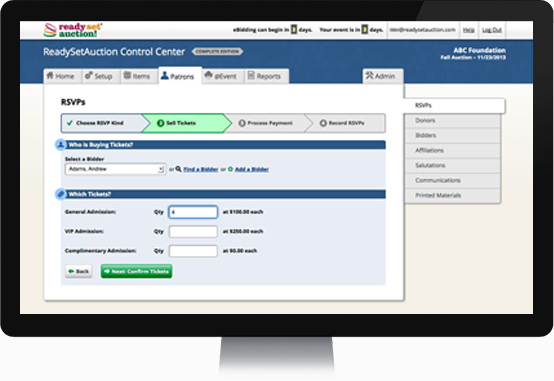
ReadySetAuction makes it simple to record RSVPs, organize your guests into ‘parties’ and track which guests belong to each party.
Not sure who belongs to which party prior to the event? No problem. You can assign “Party of…” tickets to walk-in guests as they arrive. And the system tracks the remaining spaces in each party in real time, so you’ll never overbook a party.
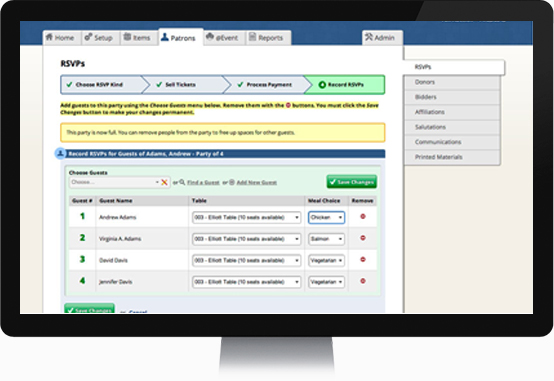
Assign Guests to Tables & Specify Meal Choices
Optionally create meal choices for your guests, and easily assign meals and tables as you record RSVPs.
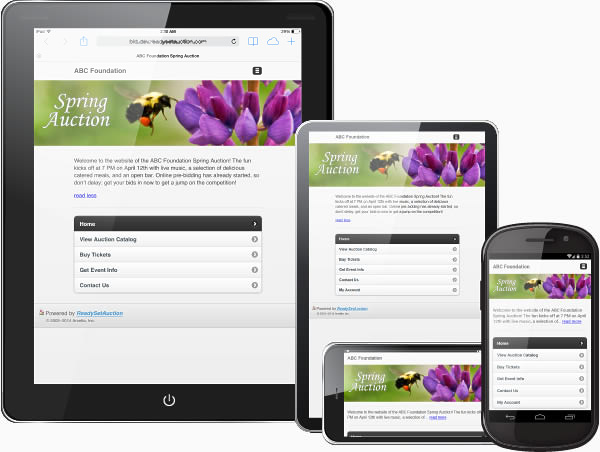
Personalize & Brand Your Event Website
When you purchase the ReadySetAuction Select or Complete plan, it’s easy to extend the reach of your event with a branded website. Add your own banner and welcome message to customize your event website’s home page. And update or change these elements as often as you like.
ReadySetAuction creates and hosts the website for you. There’s no html for you to learn or programming skills needed.
Because our top-notch development team built ReadySetAuction using the most up-to-date responsive design techniques, your event website will adapt to any size screen a visitor is using — smartphone, tablet, computer — virtually any device that can browse the web.
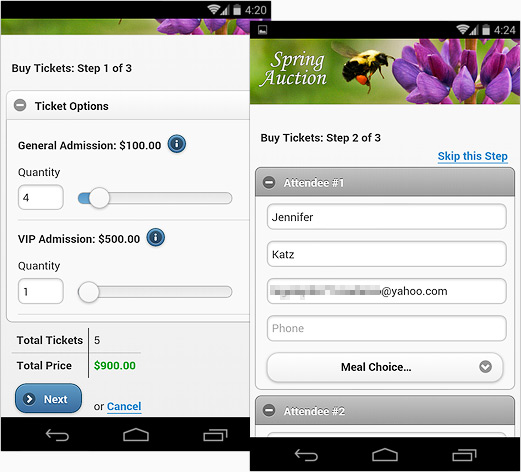
Sell Tickets Online
From your event website, visitors can buy admission tickets to your event for themselves and their guests. Better yet, the ticket buyer can enter a name and contact info for each guest she’s buying for.
Since guest information — including meal choices — flows directly into your ReadySetAuction Control Center’s guest management tools, this feature seamlessly automates RSVP tracking.
Display Your Catalog & Conduct Online/Mobile Bidding
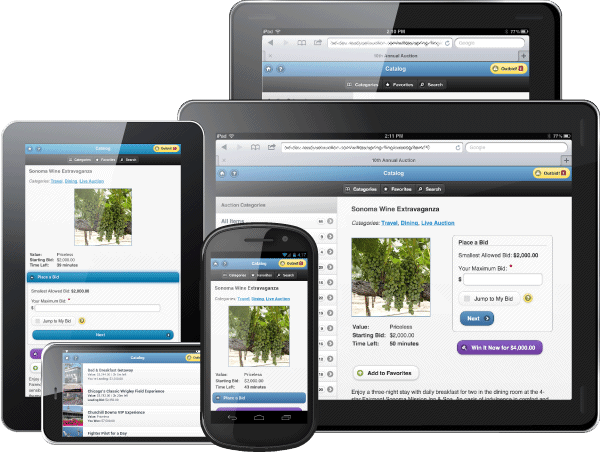
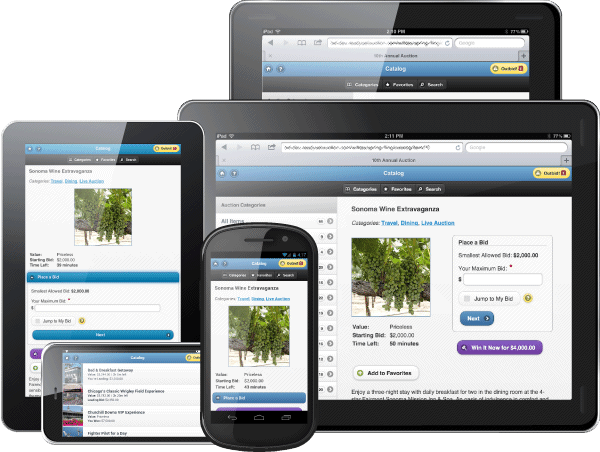
Since your event website is delivered to guests via the built-in browsers on their smartphones, tablets, and computers, there’s never an app to download. And, it works seamlessly with a wide variety of modern mobile devices — including the iPhone, iPad, iPod Touch, Kindle Fire, Samsung Galaxy phones and tablets, Android phones and tablets, Windows phones and tablets, and more – to ensure everyone has a smooth and enjoyable experience browsing your eCatalog and placing bids.
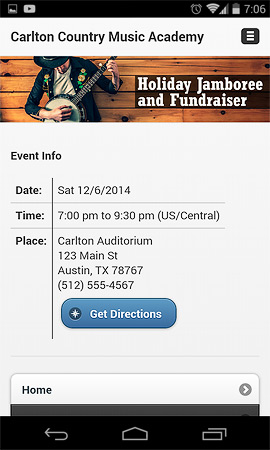
Publish Event Details
Supporters can also quickly locate information about your event such as its date, time, and place; and with just a touch of a button, they can get directions and a map from their current location to your venue.
Gone are the days when guests can use the pre-tech-age “We got lost” excuse when they arrive late. 😉
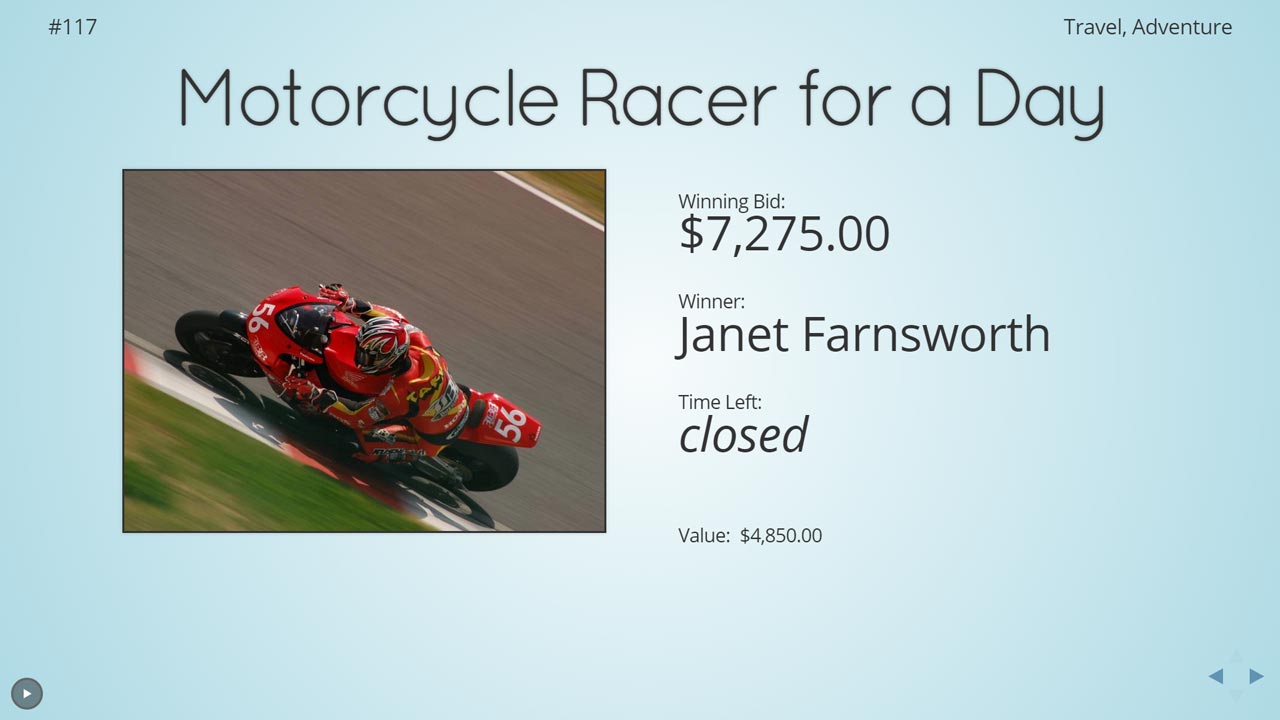
Showcase Items & Sponsors with a Leaderboard Slideshow
Use the Showcase feature to take your event to a whole new level! Showcase is a fully integrated and easy way to play a slideshow of your auction items, sponsor logos, and fund-a-need causes. If you have the equipment, you can even project Showcase on multiple monitors and/or a huge screen.
Because Showcase displays real-time bidding feedback on mobile bidding items, it helps keep bidders engaged while exposing them to opportunities they may have overlooked while perusing the eCatalog on their phones or walking around the silent auction tables.
Plus, since sponsors’ logos can be interspersed among the slides, Showcase provides you with another tool for attracting and acknowledging big sponsors. Your sponsors will be thrilled to see their logos given prominent exposure during the event.
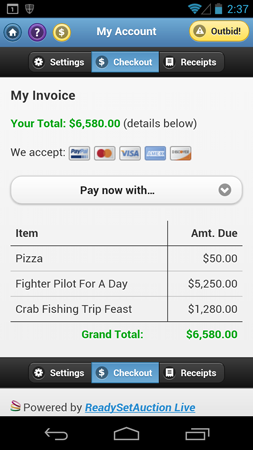
Eliminate Checkout Lines
At the end of your event, ‘activated’ bidders can pay right from their own phones by credit card or PayPal! Everything that a bidder has won or purchased — including mobile bidding items, live auction items, and fund-a-need pledges — appears on a consolidated invoice that he can access from the “My Account” link on your event website.
Of course, if the guest prefers to check out face-to-face with cash or check, your auction team can take care of him using the Control Center software.
Regardless of how the bidder pays, the ReadySetAuction system automatically emails him his receipt, saving you time, paper, and postage.
The Do-It-Yourself Mobile Bidding Solution
With ReadySetAuction, you and your auction team have the tools you need right at your fingertips to run a successful mobile bidding event – all by yourselves!
There’s no need to bring in a small army of consultants. Your venue simply needs a robust Wi-Fi network and/or strong 3G/4G/LTE cellular signals.
And bidders use their own smartphones and tablets to browse your auction catalog, place bids, make purchases, donate money, and check themselves out. So there’s no expensive equipment for you to rent or buy.
It’s Easy, Fun & Engaging
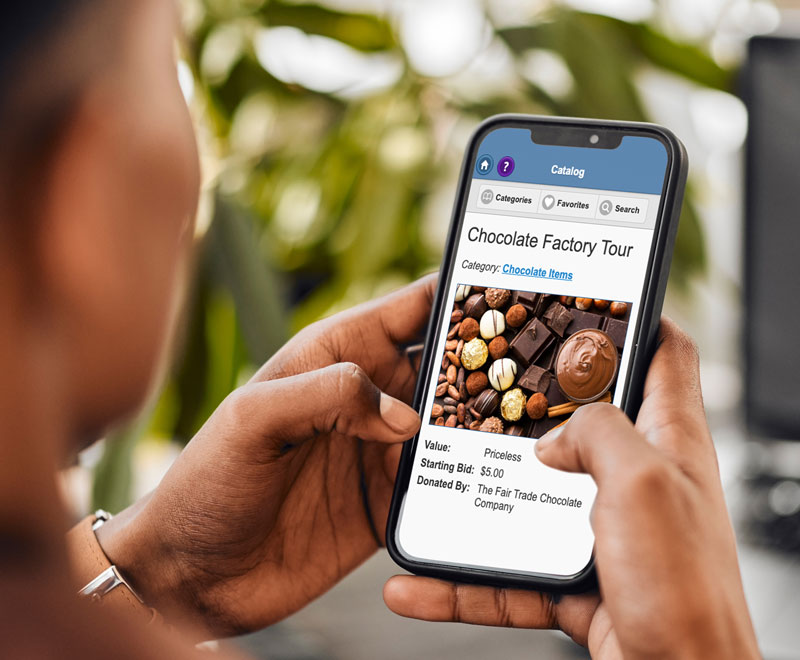
Since the ReadySetAuction mobile bidding platform is delivered to bidders via their smartphones’ built-in mobile browsers, there’s no app to download. And, it works seamlessly with a wide variety of modern mobile devices — including the iPhone, iPad, iPod Touch, Android phones and tablets, Windows phones, and more – to ensure every guest has a smooth and enjoyable mobile bidding experience.
Large photos, big touch-friendly buttons, a powerful search feature, easy to locate categories, and clear messages make bidding easy and intuitive. Plus “Closing Soonest,” “Fewest Bids” and “Most Popular” filters help draw the bidder’s attention to what’s hot and where deals might still be had.
Shared Bidding Stations & Proxy eBidding
All your guests can join in the fun, including those without smartphones, those less technically inclined, and even those who forgot their reading glasses ;-).
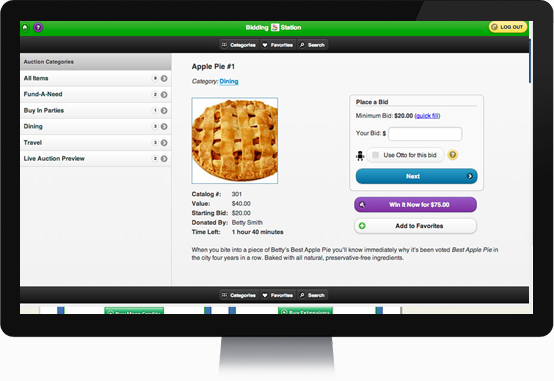
Around your venue, simply set up Shared Bidding Stations — desktop computers, laptops, or even iPads — from which any registered eBidder can place bids. You can also offer a concierge-style bidding experience with volunteer bidding valets who walk around with tablets and place bids on behalf of any registered eBidder.
Bid From Anywhere
In fact, supporters need not even be at your event — They can bid from anywhere! So if a guest’s babysitter gets sick or a big donor is pulled out of town on an unexpected business trip, they can still participate in the auction and contribute towards your cause.
Bidders Choose How to Bid
When placing bids, your guests can choose from three bidding strategies:
- Standard Bidding — Click quick fill to bid the next increment, or enter any amount above the Minimum Bid into the Your Bid field. The amount the bidder enters immediately becomes his current bid.
- Otto-Assisted Bidding (a.k.a. max bidding) — Otto™ the Bidding Robot will automatically place incremental bids on this bidder’s behalf, up to the limit she has specified in the Your Bid field.
- Win It Now —The bidder wins the item immediately by purchasing it at a pre-defined price.
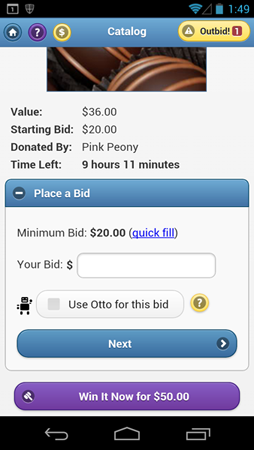
Immediate Feedback & Outbid Notices
Bidders are notified in a variety of ways that they’ve been outbid:
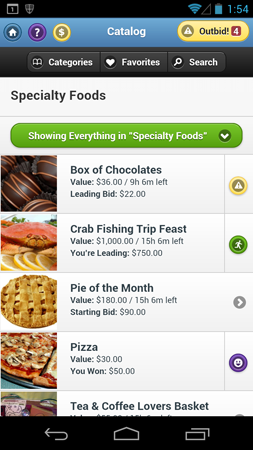
An eye-catching Outbid Badge at the top of every screen automatically updates to let the bidder know when she’s been newly outbid on an item. The Outbid Badge doubles as a button – tapping it takes the bidder straight to a list of all items on which she has bid but is no longer leading.
Bold, colorful icons also appear in the catalog alongside all the items the bidder has bid on, letting her know at a glance how she’s doing:
- Yellow warning sign: You’ve been outbid!
- Green running man: You’re in the lead!
- Purple smiley face: You’ve won!
Plus, the bidder immediately receives an email that she’s been outbid. And if your organization purchases the Complete package that includes Text Message Notification Add-On, she also receives a text message. The bidder simply taps/clicks the link in the email or text and is taken directly to that item in the online catalog so she can place her next bid.
And as an added bonus, the Showcase (leaderboard) is always up-to-date with each item’s leader, high bid amount and time remaining.
Fixed-Price Sales Including Buy-In-Parties
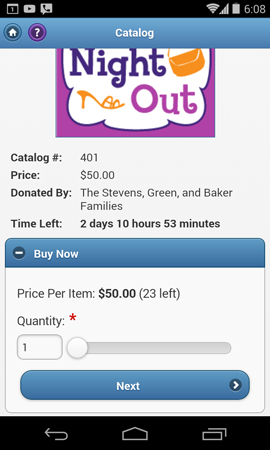
Bidders can also purchase fixed-price items — like hosted buy-in-parties, logo merchandise, drink tickets and more — right from the eCatalog.
ReadySetAuction tracks the remaining quantity available and displays it to your bidders, helping to create a sense of urgency and drive sales.
eBidder Self-Checkout
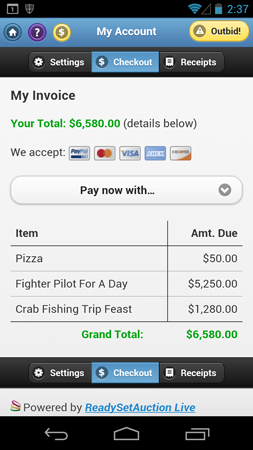
Everything a bidder has won or purchased — including items from the mobile auction as well as live auction items and fund-a-need pledges recorded by the auction staff — appears on a consolidated invoice that the bidder can access by tapping the “$” button.
The bidder can pay right from his own phone by credit card or PayPal. Or, if he prefers to pay in-person by check or cash, the auction team can check him out using the Control Center software.
In both instances, ReadySetAuction automatically emails bidders their receipts, saving you time, paper, and postage.
Build Excitement with Pre-bidding. Extend the Fun with Post-bidding
Each auction item can open and close on its own schedule within your eCatalog Access Period. An eCatalog Access Period of 45 days before your event date and ending 45 days following your event. –– is included with the purchase of any ReadySetAuction plan with mobile/online bidding.
Streamline Check-In
Whether you’re conducting an electronic auction with mobile bidding or a traditional silent auction with paper bid sheets, ReadySetAuction’s efficient check-in process means your guests can be off and bidding quickly. There’s no limit to the number of computers you set up at Check-in to handle your guest traffic. In fact, since there’s no software to install, many volunteers simply bring their own.
For an electronic auction, if a guest has not pre-registered for mobile bidding, the system will send him an eBidder registration email as part of check in. He can then complete his registration from his smartphone or at a Shared Bidding Station.
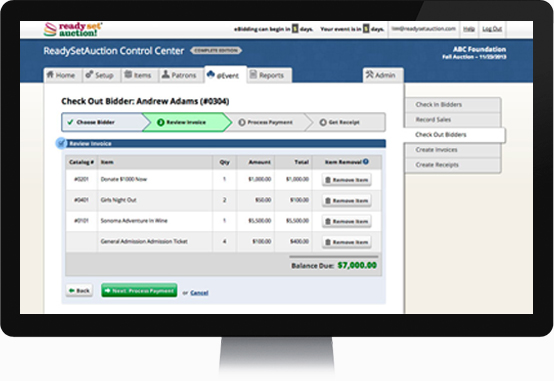
Capture Credit Cards at Check-In
Eliminate checkout altogether by capturing your guests’ credit card information at check-in.
We partner with industry leading merchant processors to provide a secure fully PCI-DSS-compliant credit card processing solution for your event.
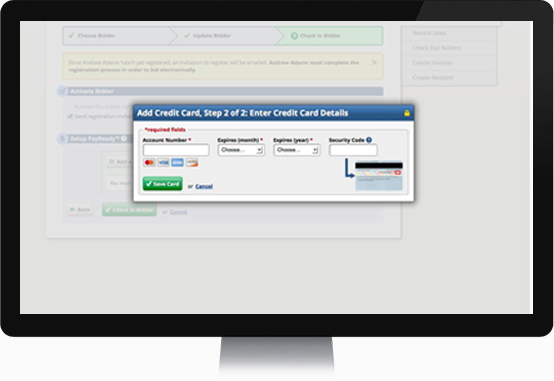
Record Wins, Purchases & Fund-A-Need Pledges
During your event, from as many computers as you like, you and your committee can quickly record winning bids and purchases from your traditional (paper bid sheet) silent auction, live auction, fund-a-need special appeal, raffle ticket sales, dessert dash, drink tickets etc.
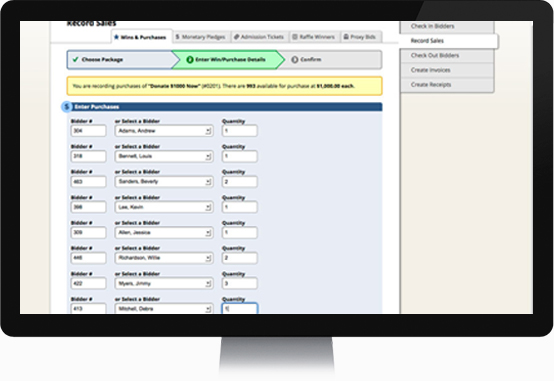
Generate Invoices
With the click of a button, print consolidated invoices for all your guests. Each invoice includes everything the guest has won or purchased at the event — including items from the mobile auction, traditional silent auction, and live auction. Plus, it lists whether his credit card is on file and the payment options available to him.
Those guests who provided their credit card information at Check-in can simply gather their winnings and leave. No waiting in line to pay. Then after the event, you and your committee can complete their checkouts, at which time the merchant processor will charge their cards.
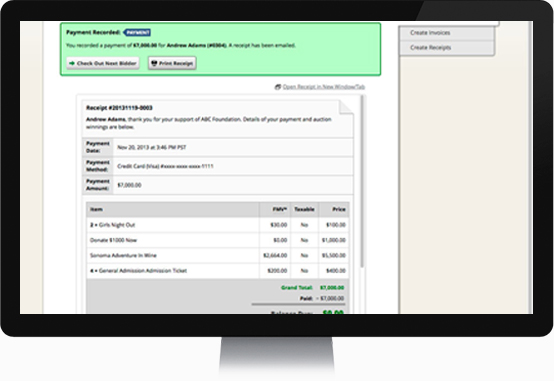
Check Out Guests
Any guest — including those who won items during the mobile auction — can check out face-to-face and pay by cash, check or credit card.
Mobile bidders also have the option to self-checkout and pay from their own smartphones.
Email & Print Bidder Receipts
Whether the guest checks out in person or self-checks out, ReadySetAuction automatically and immediately emails him a receipt. The receipt includes your organization’s tax ID and lists each item won and purchased, its price, and its value. You can also print the receipt on the spot if the guest prefers a hard copy.
In both instances, ReadySetAuction automatically emails bidders their receipts, saving you time, paper, and postage.
Checkout Options
Bidders can check out — that is, pay for their winnings — in the following ways:
- eBidder Self-Checkout — pre, during and post event: eBidders can pay by credit card or PayPal from their own mobile devices and computers. ReadySetAuction immediately emails a receipt.
- Checkout by Auction Staff — during the event: Using a computer or tablet, an auction staff person can check out any bidder in person during the event. Checkout includes recording payments made by cash, check or credit card, processing the credit card transaction, and generating a printable receipt. ReadySetAuction will also automatically email a receipt.
- Checkout by Auction Staff — post event: If the auction staff used PayReady™ — our fully-secure, PCI-DSS compliant, express checkout solution — to capture bidders’ credit card information at check-in, they may check out any bidder by credit card during the weeks following the event. In this instance, ReadySetAuction will also automatically email a receipt.
Your organization must establish a merchant account with one of our partners listed below in order to accept payments by credit cards.
When you set up a merchant account, that account belongs to your organization — meaning the money you collect by credit card is deposited directly to the bank account you designate. ReadySetAuction is not the middleman for your money. ReadySetAuction makes no guarantee that your organization will qualify for a merchant account. Non-profit organizations that are home-based or in poor financial standing may not qualify. Card swipers are optional and may be purchased from our partners at an additional cost. If a computer is not equipped with a card swiper, then the cashier can type-in credit card information.
SafeSave Payments merchant account
When you link your organization’s SafeSave Payments merchant account to your ReadySetAuction account, your auction staff can capture credit card information at check-in, eBidders can self-pay via credit card, and your auction staff can accept credit card payments at checkout from any bidder.
Contact SafeSave Payments for more information and to apply for a merchant account.
PayPal (for eBidder self-checkout only)
When you link your organization’s PayPal Business account to your ReadySetAuction account, eBidders will have the opportunity to self-pay via credit card or PayPal account, but auction staff won’t have the option accept credit card payments at check-in or checkout. PayPal only supports self-checkout.
Contact PayPal for more information and to apply for a PayPal Business account.
Please Note: PayPal may require a winner to open a PayPal account if the amount he owes exceeds a certain threshold as determined by PayPal. For this reason, if you anticipate any winner will owe more than $2,000, we suggest you look into establishing a merchant account.

Ready to take the next step?
See DemoNeed more details? Check out the prices and features of our four ReadySetAuction plans.